Webhook Integration (Outgoing Events)
Salpulse can post events to a webhook URL so, with the addition of a simple middleware layer, you can implement a webhook handler to add the Salp feed to your workflow applications (eg: Microsoft Teams). You should use a software developer to implement this.
Configuring a Webhook
Note: Configuration of integrations is restricted to your organisation's Salpulse Administrator(s) and Restricted Administrator(s).
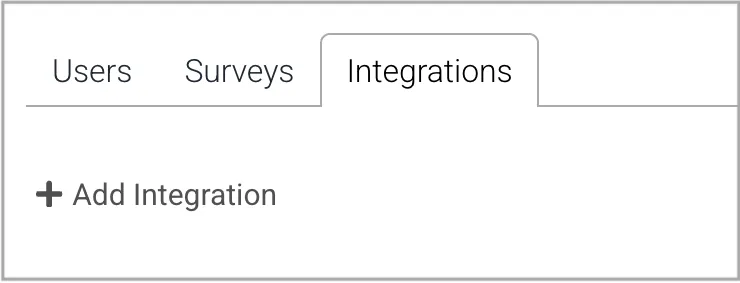
To configure a webhook integration, from the Integrations tab of the Admin menu item, click the Add Integration button.
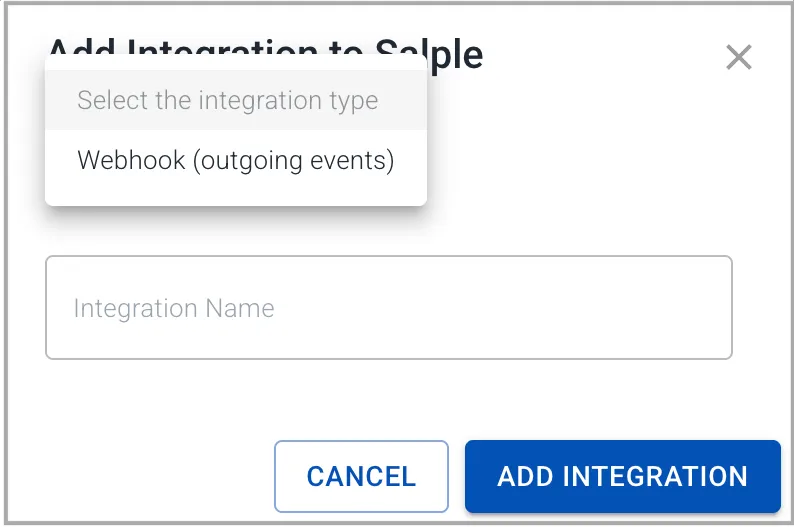
In the dialog, select Webhook as the integration type, name the integration and click the Add Integration button.
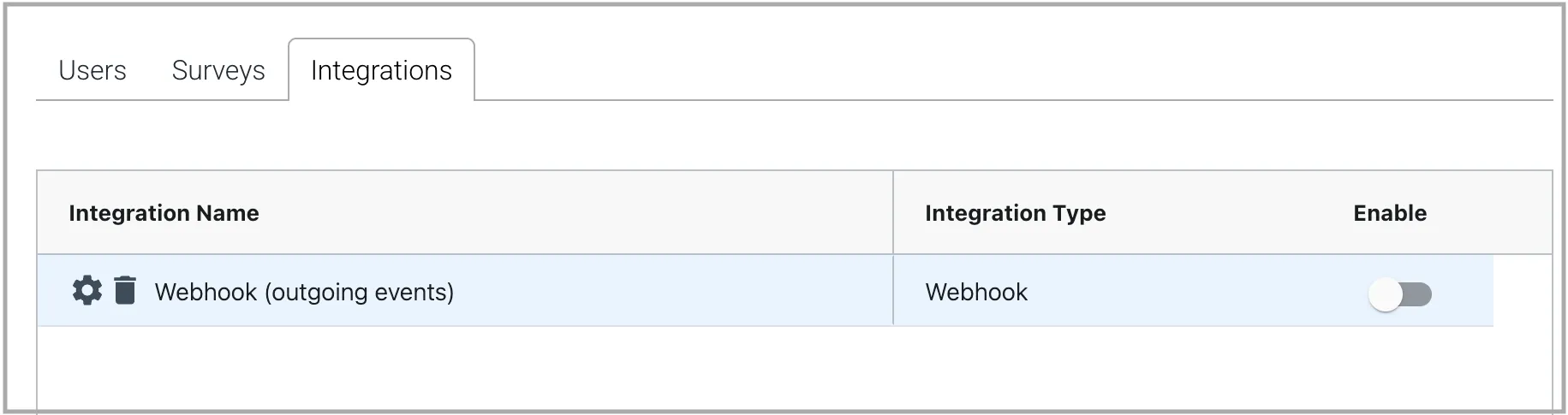
The integration will now appear in the integrations table. Hover over the integration's name until the gear icon appears. Click this icon to configure the webhook.
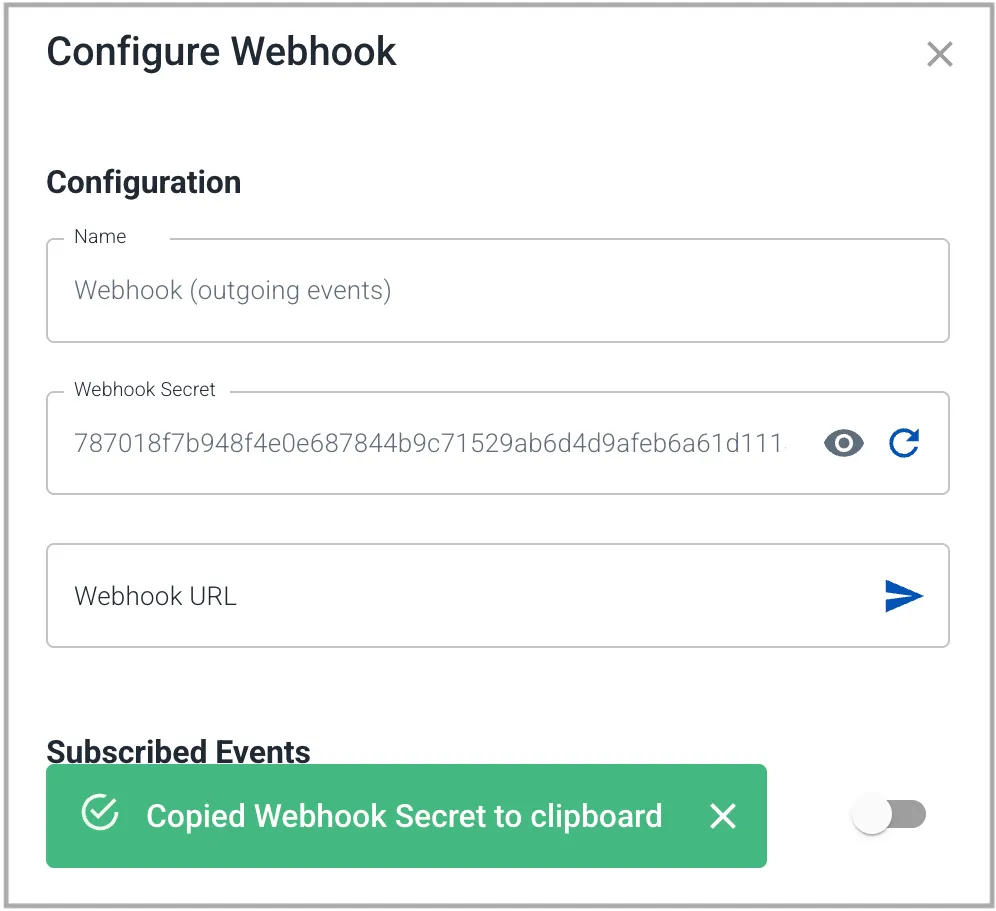
In the configuration dialog, click on the Webhook Secret field's reveal icon, which will also copy the unique secret string to the clipboard.
In your webhook handler, implement HMAC Signature validation using this secret. Keep this secret private.
Then enter the URL of your webhook handler and click the plane icon to save and verify the URL. This will send a test message to your handler.
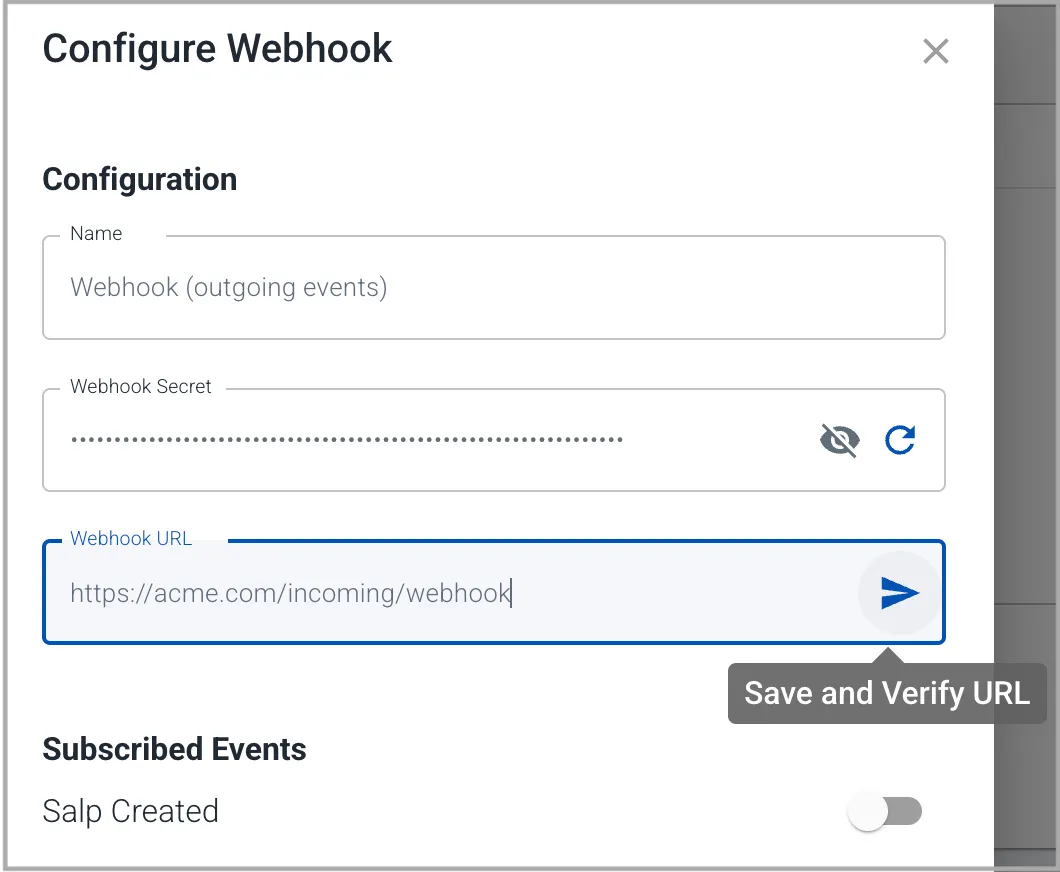
On clicking the plane icon, you will be presented with the result of your test. For example.


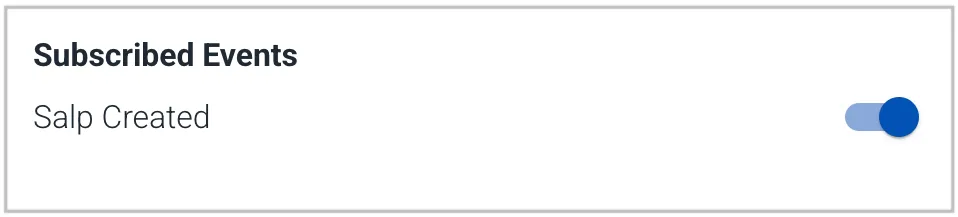
Once you have correctly validated your webhook URL, select the events you want to subscribe to and close the configuration dialog.
From the integrations table, enable the newly configured webhook integration.
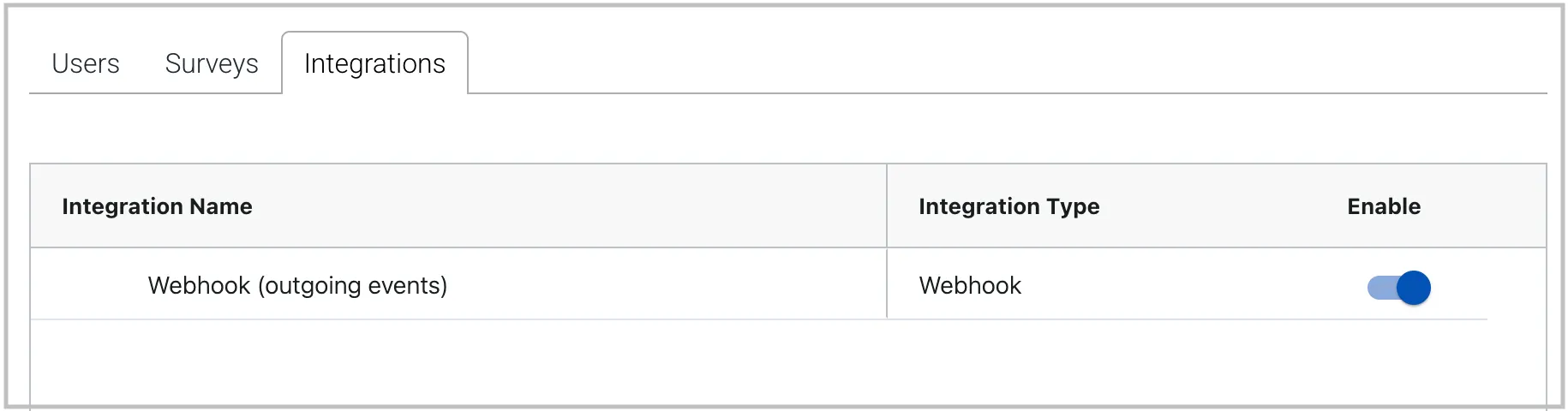
This will start events flowing to your webhook handler.
Note: You may configure up to 4 webhook integrations. They may all be subscribed to the same event(s). The reason you might choose to do this is if you have different webhook handlers doing different things. eg: one webhhook handler pushing Salps to your Microsoft Teams stream and another handler logging Salps to your server logs.
Monitoring a Webhook
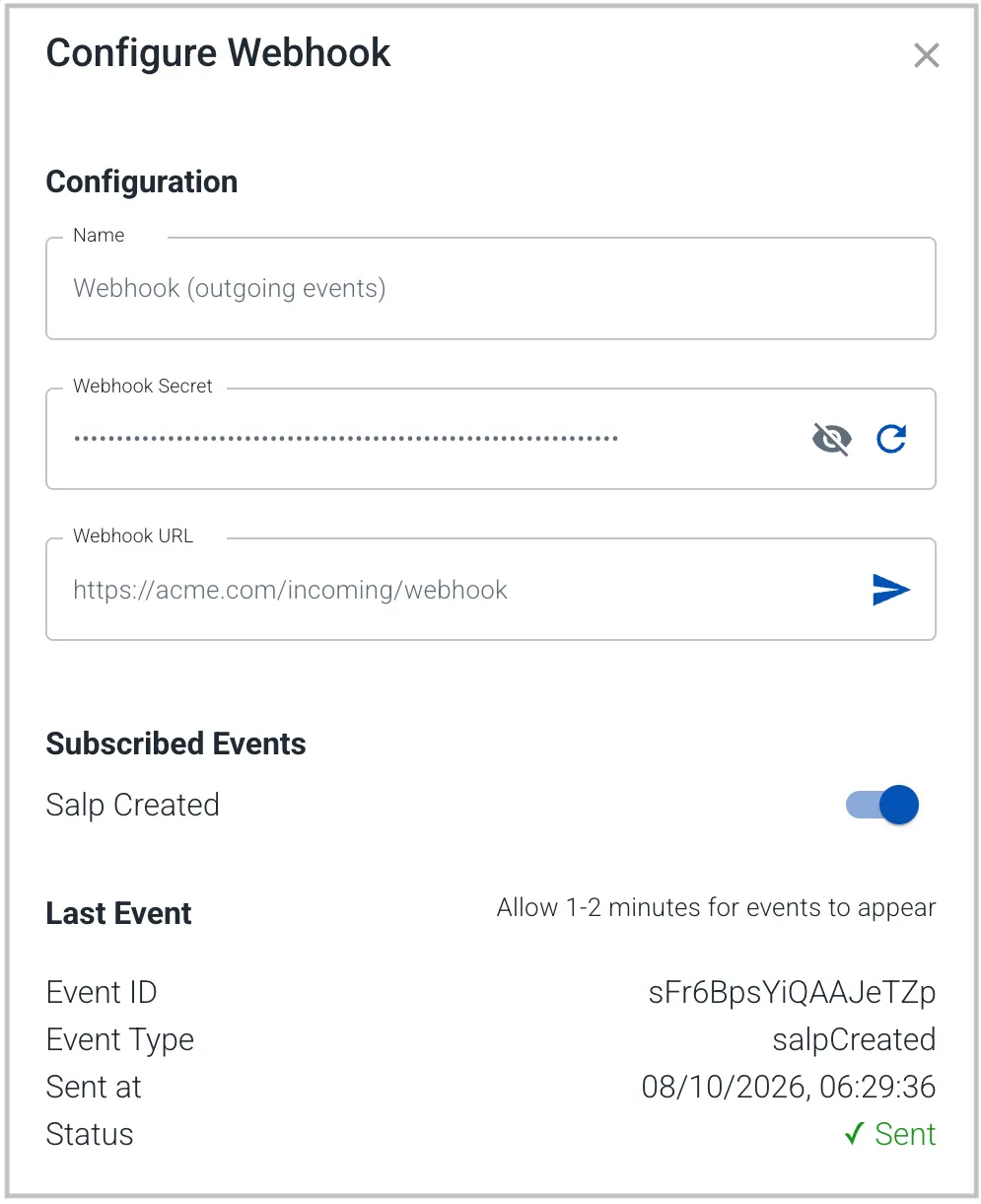
You can see the the status of the last event sent to your handler by opening the configuration dialog for the integration. If the process is experiencing errors, these will be surfaced here.
Note: Your handler must use https:// protocol
Note: Salpulse's event flusher runs once per minute, so allow 1-2 minutes for events to appear at your handler - eg: after posting a new Salp.
Retries
Many errors in sending events to your handler, are considered temporary, and Salpulse will retry sending the same event. The retry protocol is:
Send Attempt | If Fails, Salpulse will Retry in |
|---|---|
1 | 1 min |
2 | 5 min |
3 | 15 min |
4 | 1 hour |
5 | 4 hours |
6 | 1 day |
7 | 3 days |
8 | permanent failure |
However, the following errors are treated as permanent failures and Salpulse will not retry sending the event.
Error Code | Error |
|---|---|
400 | Bad request |
401 | Unauthorised |
403 | Forbidden |
404 | Not found |
422 | Unprocessable content |
In your handler, you can identify a retry via the X-Salpulse-Event-Id and X-Salpulse-Delivery-Try elements in the message header. It is the webhook handler's responsibility to ensure that if it receives multiple messages with the same event Id, that it does not double up on the processing of that event.
Webhook Handler Implementation Notes
Your webhook handler can be implemented in any programming language. In this section, for demonstration purposes, we use NodeJS.
Ensure your webhook handler responds to messages on the https:// protocol.
Events are sent to your handler using the POST method.
Each HTTPS webhook request includes the following headers:
HMAC Signature
Before processing the received message, calculate an HMAC-SHA256 signature of the webhook request payload, generated using the integration secret (which you have copied from the integration configuration screen), then compare it to the X-Salpulse-Signature header.
  import crypto from 'crypto';

  ...

  const body = JSON.stringify(payload);
  const signature = crypto
    .createHmac('sha256', storedSecret)
    .update(body)
    .digest('hex');

  if (signatureInMessage !== signature) {
    res.writeHead(401);
    return res.end('Invalid Signature');
  }
NOTE: Calculate your HMAC signature against the exact raw request body received, rather than parsing the JSON and then re-stringifying it. Re-stringifying can potentially produce a different string and therefore a different signature.
Response Time
You must respond to the webhook message within 10 seconds or Salpulse will register a temporary failure and start it's Retry Protocol. It's a good idea to collect the complete message, check the signature, check for duplicate messages, then reply to Salpulse before processing the message's payload.
Message Body
The body of the message is in JSON and is structured as follows.
Event - webhook.validateURL
This event is part of the integration configuration flow and is designed to test that your webhook handler is properly configured and responding to events. Following is the payload structure
{
  "eventType": "webhook.validateURL",
  "eventId": "<string>",
  "timestamp": "<ISO 8601 timestamp>"
}
When you receive this message, check the signature then respond immediately with a 200 (OK) code.
Event - salpCreated
This event is sent when one of your employees in your organisation's Salpulse posts a Salp, if your integration is subscribed to this event. There are 2 types of Salps.
- Story Salp - One author and not directed to a specific person
- Recognition Salp - One author and directed to one or more specific people
Following is the payload structure.
{
  "eventId": "<string>",
  "eventType": "salpCreated",
  "timestamp": "<ISO 8601 timestamp>",
  "orgId": "<string>",
  "orgName": "<string>",
  "about": {
    "category": "why | way | do",
    "type": "<string>",
    "title": "<string>"
  },
  "salpType": "Story | Recognition",
  "author": {
    "name": "<string>",
    "email": "<string> | NoEmail"
  },
  "recipients": [ // Optional
    {
      "name": "<string>",
      "email": "<string> | NoEmail"
    },
    ...
  ],
  "content": "<content>",
  "media": [ // Optional
    {
      "type": "image",
      "source": "<url>"
      "height": <number>,
      "width": <number>,
    },
    ...
  ],
  "openInSalpulse": "<url>",
  "createdAt": "<ISO 8601 timestamp>"
}
Field | Detail |
|---|---|
eventId | A unique identifier for this event. Retries will use the same eventId. Should match the header |
eventType orgId orgName | Should match the header |
timestamp createdAt | Date and Time are in UTC time. eg: "2026-10-07T19:29:20.323Z". timestamp is the time of delivery of this attempt. createdAt is the time the Salp was first created. |
about.category | Which channel this Salp is targeted at. eg: "way". |
about.type | The text to display that describes this category, eg: "Value". The defaults are:
These are configured, per organisation and may be different to the defaults. eg: "Mission", "Principle", "Shared Goal". Your handler code should use about.category to determine the channel as about.type may be changed by your administrator(s). |
about.title | The text that identifies the specific channel or sub-channel. eg: "Care for each other" (an example title of one of the way sub-channels) or "Shaping futures through excellence in manufacturing" (an example title of the why channel). |
salpType | "Story" - No recipients field in the message "Recognition" - recipients field will exist in the message |
author.name | Name of the author in the format "first last". |
author.email | Email address of the author or "NoEmail" if the address is unknown to Salpulse. |
recipients (optional) | Will exist only for Recognition type Salps. An array of people being recognised, in the same format as author. One of the elements of this array may be: { "name": "Everyone", "email": "NoEmail" } which indicates that everyone in the organisation is being recognised in this Salp. |
content | The body of the Salp. eg: "Thanks to Sarah for her help yesterday in preparing the Myatt Project pitch. It really helped sell the idea!!". Notes: Newlines will be represented as \n. @mentions will be flattened to the person's name. |
media (optional) | An array of (up to 3) media to include with the Salp. Only image type media are supported at this stage. |
openInSalpulse | A link to open the Salp directly in the Salpulse app. |
Example Story Salp Display in Your Own App
Story Salp - Gavin Boyd wrote about our Purpose: "Shaping futures through excellence in manufacturing".
When a production issue threatened to delay a major customer order last month, teams from across the business came together to find a solution, aiming to maintain quality while meeting the deadline. A week later, the customer shared that receiving the order on time had allowed them to secure a new contract and create additional jobs within their business. It was a powerful reminder that what we manufacture is only part of our impact. Through our commitment to quality, reliability, and excellence, we help customers grow, create opportunities, and build stronger futures, bringing our purpose to life every day. Open in Salpulse
Example's construction hint: "Story Salp - <author.name> wrote about our <trimWithElipses(about.type, 120 /*max display length*/)>: \"<about.title>\"\n\n<content> <appendLink()>"
Example Recognition Salp Display in Your Own App
Recognition Salp - Ben Thompson recognised Sarah Wilson and Priya Sharma for the Value: Care for each other.
A heartfelt thank you to Sarah and Priya for the way they supported each other and the wider team during a particularly busy week. By sharing the workload, checking in regularly, and stepping up whenever help was needed, they ensured deadlines were met without anyone feeling overwhelmed. Their actions are a great example of our value "Care for Each Other", reminding us that looking out for one another makes our team stronger and more successful. Open in Salpulse

Example's construction hint: "Recognition Salp - <author.name> recognised <recipients[0].name> and <recipients[1].name> for the <trimWithElipses(about.type, 120 /*max display length*/)>: \"<about.title>\"\n\n<content> <appendLink()>\n\n<media[0]>"