Kiosk Mode
Kiosk mode allows you to include employees in your Salpulse Survey who do not have a work email address. For example, people who work on the factory floor.
Configuring Kiosk Mode for a Survey
NOTE: Configuring Kiosk Mode is only possible for Salpulse Administrators and Restricted Administrators.
Adding a Kiosk User
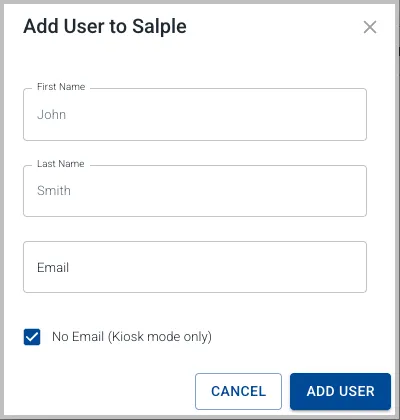
Select the Admin menu item, click on the Users tab, then click on the + Add User button. In the dialog that opens, enter the user's first and last name, tick the No Email checkbox and click Add User:
Switching a User to Kiosk Mode
To swich a user from full user status to a kiosk mode user, Select the Admin menu item, click on the Users tab, then click on the Surveys radio button. Then click on the Kiosk Mode checkbox for that person's name:
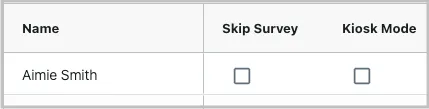
Then say yes to the dialog that opens.
NOTE: Switching on kiosk mode for a user will remove their email address from the system. They will no longer be able to login to Salpulse, however, they will be able to complete Salpulse surveys (from a kiosk mode computercomputer).
If you switch kiosk mode off for a user, you will be presented with the option to add an email address. If you wish the user to be able to user Salpulse, it's important that you add this email.
Setting Up a Kiosk Mode Computer
NOTE: You must be a Salpulse Administrator or Restricted Administrator to get the kiosk mode link.
NOTE: The kiosk mode link is only available for a survey you currently have open.
Select the Admin menu item, click on the Surveys tab, then click on the Kiosk Mode link:
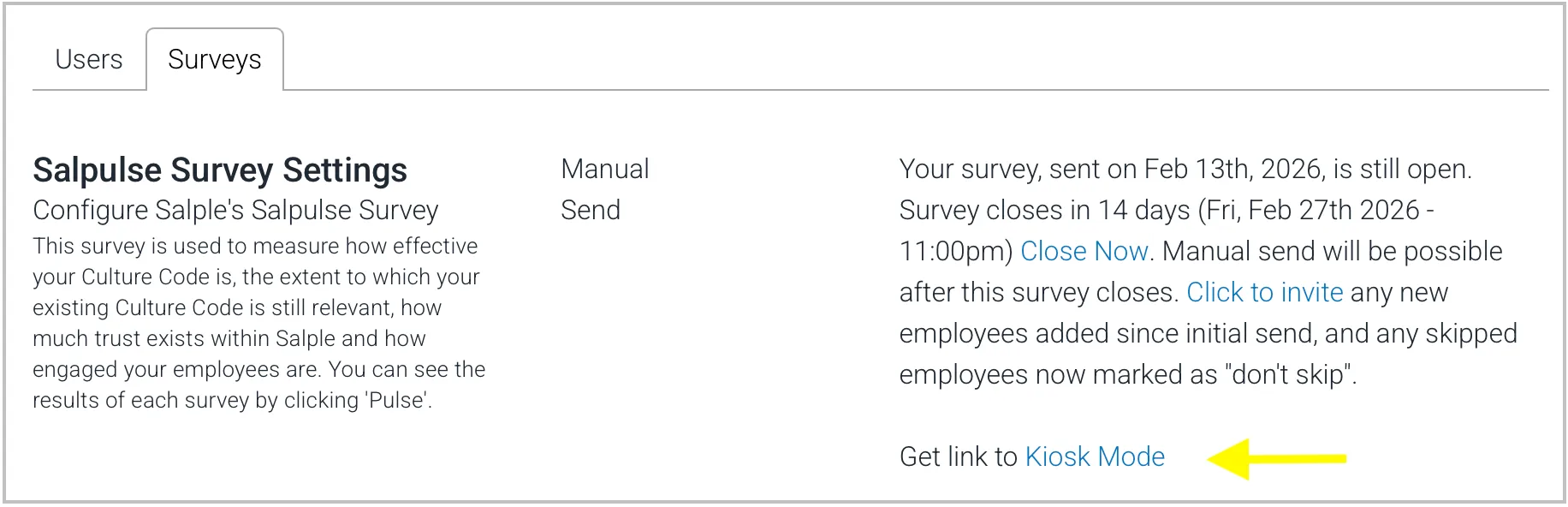
This will copy the kiosk mode link to your clipboard. You can then email this link to the computer(s) you want to operate in kiosk mode.
NOTE: This link is specific to the open survey and expires when the survey closes.
Kiosk Mode Users Complete a Salpulse Survey
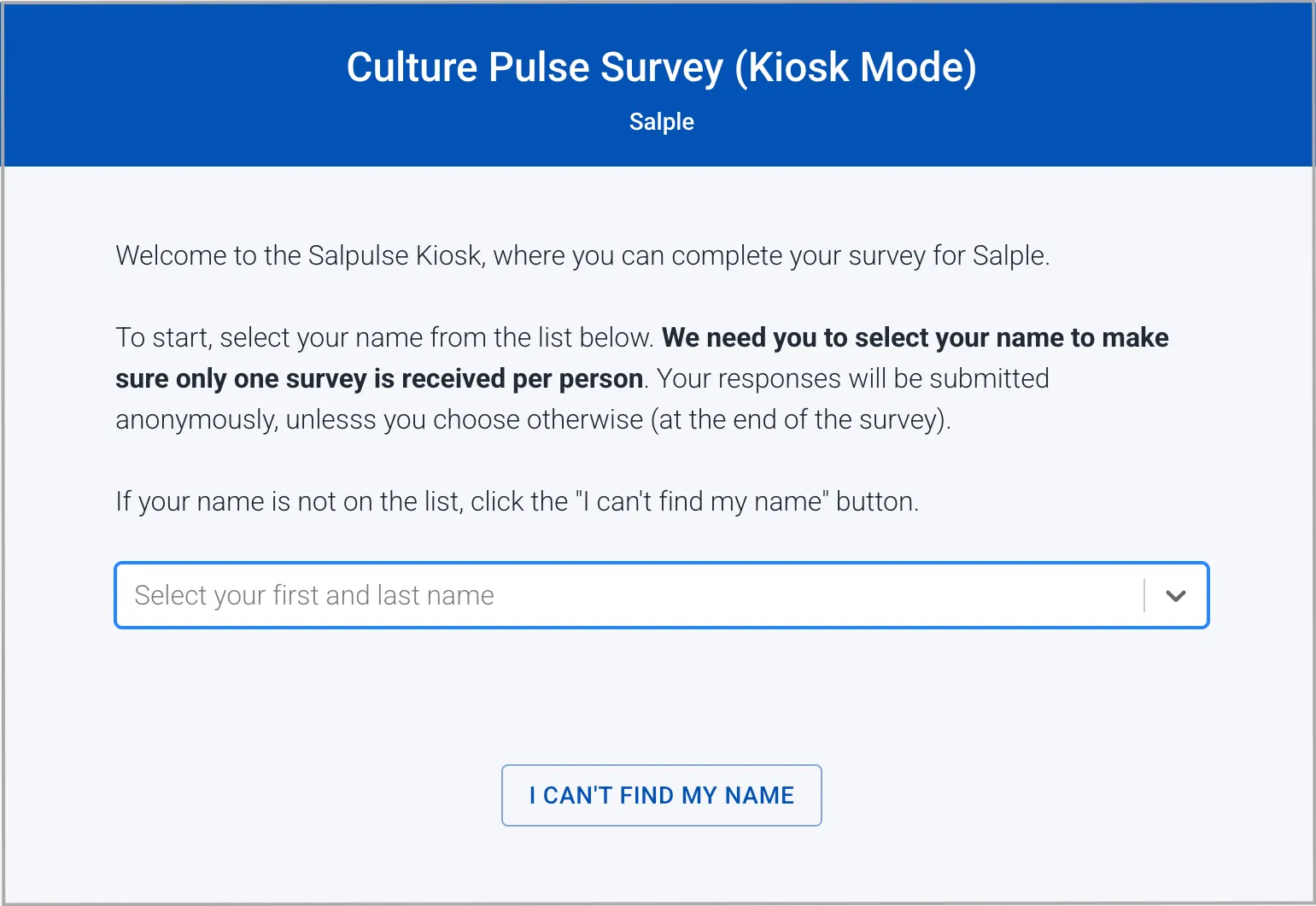
On the kiosk computer(s), when you open the kiosk mode link, you will be presented with the Salpulse Kiosk:
Direct your kiosk mode users, one by one, to sit at the kiosk computer and complete the survey, preferably in a single sitting.
Only your employees with kiosk mode set will be shown in the drop down list. Once they select their name, they will then be presented with the Continue button to start their survey:
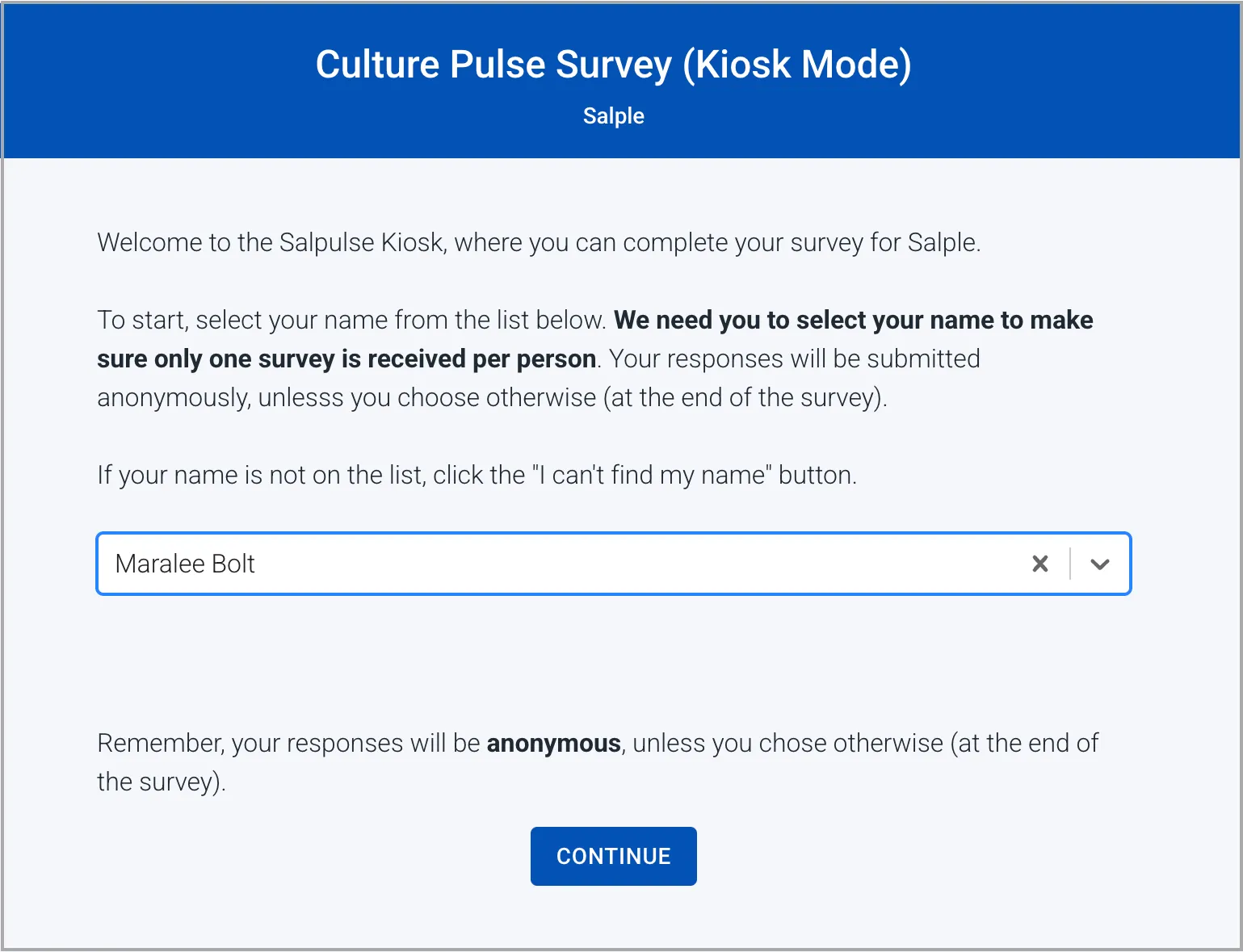
If their name is not on the list, this indicates an error in the configuration. The user has the option to press the I can't find my name button, which will send their name to your organistion's Salpulse adminstrator indicating that they need to be added as a kiosk mode user.
Once a kiosk mode user has completed their survey, if they are selected again from the kiosk, they will be presented with a message saying that their survey is complete.